

AI, machine learning, deep learning, generative AI, 3D rendering, and high-performance computing are changing how businesses use computing infrastructure.
But as GPU workloads become more demanding, choosing the right infrastructure becomes an important decision.
Should you choose GPU cloud hosting for flexibility and scalability, or a GPU dedicated server for exclusive hardware and predictable performance?
The answer depends on your workload, budget, GPU requirements, scalability needs, and how consistently you need GPU resources.
In this guide, we’ll explain the difference between GPU Cloud and GPU Dedicated Servers, where each option fits, and how to choose the right GPU infrastructure for your business with Cloudicts.
What Is GPU Cloud Hosting?
GPU cloud hosting provides access to GPU-powered virtual or cloud server infrastructure without requiring you to purchase and maintain physical GPU hardware.
With a GPU cloud server, you can deploy an environment for AI development, machine learning, model inference, rendering, data processing, and other GPU-intensive applications.
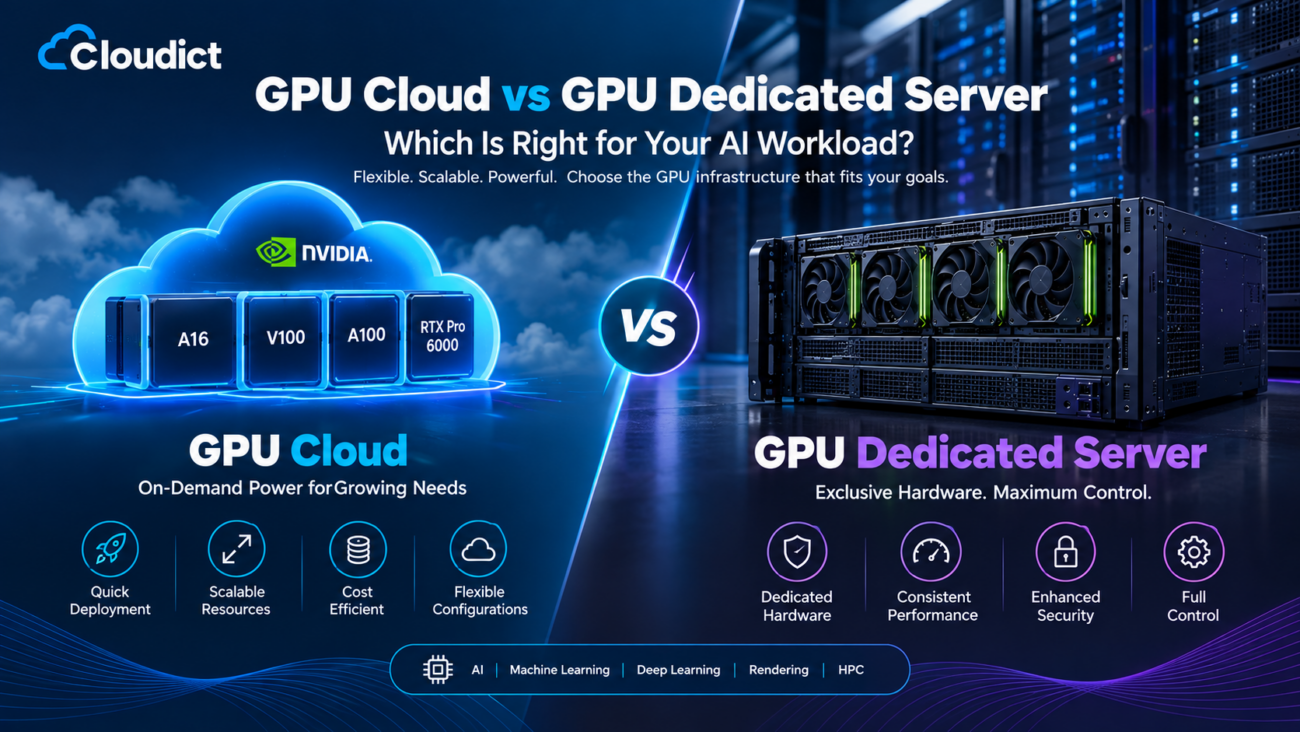
Cloudicts offers NVIDIA GPU Cloud configurations designed for workloads including AI, machine learning, deep learning, rendering, and high-performance computing. Its current GPU Cloud lineup includes NVIDIA A16, A100, V100, and RTX Pro 6000 Blackwell configurations.
GPU Cloud is particularly useful when your computing requirements change over time or when you want to scale resources without investing in your own physical infrastructure.
What Is a GPU Dedicated Server?
A GPU dedicated server in India gives your workload exclusive access to physical GPU hardware on a bare-metal server.
Instead of sharing the physical GPU server with other customers, you receive a dedicated environment with its own CPU, RAM, storage, and GPU resources.
This can be valuable for workloads where consistent performance, hardware control, data requirements, or long-running GPU workloads are important.
Cloudicts offers NVIDIA A100 and RTX Pro 6000 Blackwell dedicated GPU configurations. Current A100 options range from single-GPU systems to multi-GPU configurations with up to 8 A100 GPUs, depending on the selected plan.
GPU Cloud vs GPU Dedicated Server
The biggest difference is how the underlying GPU infrastructure is delivered.
| Feature | GPU Cloud | GPU Dedicated Server |
|---|---|---|
| Hardware access | Cloud-based GPU resources | Dedicated physical GPU hardware |
| Scalability | Easy to scale | Scale by changing or adding dedicated hardware |
| Deployment | Fast provisioning | Dedicated server provisioning |
| Performance | Depends on configuration | Predictable bare-metal performance |
| Resource isolation | Cloud environment | Exclusive physical server |
| Best for | Variable and scalable workloads | Long-running and production workloads |
| Infrastructure control | High | Very high |
| Suitable for AI | Yes | Yes |
| Suitable for ML training | Yes | Yes |
| Suitable for inference | Yes | Yes |
| Suitable for HPC | Yes | Yes |
Neither option is automatically right for every workload. Your application should determine the infrastructure you choose.
When Should You Choose GPU Cloud?
GPU Cloud is generally suitable when flexibility is more important than owning or controlling a fixed physical machine.
1. You Have Variable GPU Requirements
If your workload changes frequently, cloud infrastructure can make it easier to adjust your computing resources.
For example, an AI startup may require additional GPU resources during model development or testing and different capacity when moving into production.
2. You Are Testing an AI Product
If you’re still developing an AI application, GPU Cloud can provide access to GPU infrastructure without requiring a large hardware commitment.
You can test your application, benchmark different configurations, and determine how much GPU capacity your workload actually needs.
3. You Need Fast Deployment
Cloud GPU environments are designed for quick provisioning.
Cloudicts lists instant provisioning on its GPU Cloud plans, along with full root access and 24×7 support.
4. You Want Flexible Resource Configurations
Different workloads require different combinations of GPU, CPU, RAM, and storage.
For example, Cloudicts currently lists A16 GPU Cloud configurations ranging from 8 vCPU and 64 GB RAM to larger configurations with 32 vCPU and 256 GB RAM.
When Should You Choose a GPU Dedicated Server?
Dedicated GPU infrastructure becomes particularly relevant when you require consistent access to physical GPU resources.
1. Long-Running AI Training
Large AI and machine learning training jobs can run for extended periods.
A dedicated server provides exclusive hardware for these workloads and avoids the variability associated with shared physical infrastructure.
2. Production AI Applications
Production inference systems may require predictable GPU availability and performance.
A dedicated GPU server can provide an isolated environment for applications that need consistent resources.
3. Large GPU Workloads
When a single GPU isn’t enough, multi-GPU dedicated configurations can provide significantly more GPU resources.
Cloudicts offers A100 dedicated configurations ranging from 1× A100 to 8× A100 systems. The current 8× A100 configuration includes 156 vCPUs, 1 TB RAM, and 16 TB NVMe storage.
4. Maximum Hardware Control
Dedicated GPU servers provide bare-metal performance, full root access, and IPMI access on the listed A100 configurations.
This can be useful for organizations that need greater control over their server environment.
Cloudicts GPU Cloud Plans
Cloudicts provides multiple NVIDIA GPU Cloud configurations designed for different workloads.
NVIDIA A16 GPU Cloud
The NVIDIA A16 is available through Cloudicts GPU Cloud plans starting from ₹8,499 per month on the current listed configuration.
The entry configuration includes:
- 8 vCPU cores
- 64 GB DDR4 RAM
- 250 GB SSD storage
- NVIDIA A16 GPU
- 99.95% SLA uptime
- Full root access
- 24×7 support
Larger A16 configurations are also available with additional CPU, RAM, and storage.
A16 infrastructure can be considered for graphics workloads, virtualization, AI workloads, and applications that don’t require the highest-end training hardware.
NVIDIA A100 GPU Cloud
The NVIDIA A100 is designed for demanding AI, machine learning, deep learning, and HPC workloads.
Cloudicts currently lists multiple A100 GPU Cloud configurations, including options with up to 32 vCPU, 128 GB RAM, and 2 TB NVMe storage.
A100 Cloud can be suitable for:
- AI model training
- Deep learning
- Machine learning
- HPC
- Data processing
- AI inference
NVIDIA V100 GPU Cloud
Cloudicts also offers NVIDIA V100 GPU Cloud configurations.
The listed configurations include options with up to 32 vCPU, 64 GB RAM, and 500 GB NVMe storage.
V100 can be useful for organizations running established machine learning and GPU computing workloads where this GPU generation matches their software and performance requirements.
RTX Pro 6000 Blackwell GPU Cloud
For newer-generation workloads, Cloudicts offers RTX Pro 6000 Blackwell GPU Cloud configurations.
The listed plans range from smaller configurations to a 16-vCPU, 64 GB RAM and 800 GB NVMe configuration.
These systems can be considered for demanding AI inference, generative AI, professional graphics, rendering, and other GPU-intensive workloads.
Cloudicts GPU Dedicated Server Plans
For customers requiring exclusive physical GPU infrastructure, Cloudicts offers dedicated GPU servers.
NVIDIA A100 Dedicated Server
Cloudicts currently lists A100 dedicated servers starting at ₹35,999 per month, excluding applicable GST.
The entry configuration includes:
- 32 vCPU cores
- 128 GB high-speed RAM
- 2 TB NVMe SSD
- 1× NVIDIA A100 40GB
- 99.95% network SLA
- 24×7 priority support
- Bare-metal performance
- IPMI and full root access
Larger configurations include 2× A100, 4× A100, and 8× A100 options.
RTX Pro 6000 Blackwell Dedicated Server
Cloudicts also provides RTX Pro 6000 Blackwell dedicated server configurations.
The listed configurations include:
- 24 vCPU, 192 GB DDR5 RAM and 2 TB NVMe
- 32 vCPU, 256 GB DDR5 RAM and 4 TB NVMe
- 48 vCPU, 512 GB DDR5 RAM and 8 TB NVMe
Each listed configuration includes the RTX Pro 6000 Blackwell GPU and bare-metal server capabilities.
GPU Cloud vs Dedicated GPU: Which One Should You Choose?
Instead of choosing based only on GPU model or price, look at how your application actually works.
Choose GPU Cloud if:
- Your workload changes frequently
- You are developing or testing an AI application
- You need flexible infrastructure
- You want quick deployment
- You expect your requirements to grow
- You don’t want to manage physical hardware
Choose a GPU Dedicated Server if:
- You need exclusive physical GPU resources
- Your workloads run continuously
- You need predictable performance
- You are running production AI workloads
- You need multi-GPU configurations
- You require greater hardware-level control
GPU Infrastructure for AI and Machine Learning
Modern AI workloads can require significant GPU resources.
GPU infrastructure can be used for:
AI Model Training
Train machine learning and deep learning models using GPU acceleration.
Generative AI
Build and deploy generative AI applications, AI assistants, image-generation systems, and other AI-powered applications.
Large Language Models
GPU infrastructure can support LLM training, fine-tuning, experimentation, and inference depending on the model and required GPU memory.
AI Inference
Run trained models in production and process user requests using GPU-accelerated inference.
Computer Vision
GPU servers can support image classification, object detection, video analysis, and other computer vision applications.
Data Science
Process large datasets and accelerate machine learning and analytical workloads.
3D Rendering
GPU-powered infrastructure can also be used for rendering, animation, visualization, and other graphics-intensive workloads.
Cloudicts specifically lists AI, healthcare and research, fintech, gaming, automotive engineering, media and 3D rendering, scientific computing, data science, and generative AI among the use cases for its GPU infrastructure.
Why Choose Cloudicts for GPU Hosting?
Cloudicts provides both GPU Cloud and dedicated GPU infrastructure, allowing businesses to select an architecture based on their workload rather than being restricted to a single hosting model.
Key infrastructure features include:
- NVIDIA GPU infrastructure
- Full root access
- NVMe SSD storage
- Scalable CPU, RAM, storage, and GPU resources
- Enterprise security
- Secure networking and firewall protection
- 24×7 technical support
- Bare-metal dedicated GPU options
- Hybrid cloud capabilities
Cloudicts also states that its GPU infrastructure supports technologies and tools including TensorFlow, PyTorch, CUDA, Docker, Kubernetes, and Jupyter Notebook.
How Much Does GPU Hosting Cost in India?
GPU hosting costs depend on the GPU model, number of GPUs, CPU, RAM, storage, and infrastructure type.
At the time of writing, Cloudicts lists GPU Cloud configurations starting from ₹8,499/month for its A16 configuration, while its NVIDIA A100 dedicated GPU servers start from ₹35,999/month. Prices shown on the Cloudicts pages exclude GST and may change as configurations and offers are updated.
For this reason, it is better to compare the complete configuration rather than looking only at the monthly GPU price.
What Should You Consider Before Choosing a GPU Server?
Before ordering a GPU server, evaluate these factors:
GPU Memory
GPU VRAM can be critical for AI and machine learning workloads. Larger models and datasets may require more GPU memory.
GPU Architecture
Different GPU generations have different performance characteristics, software compatibility, and capabilities.
CPU and RAM
The GPU is only one part of the server. Your workload may also require substantial CPU and system memory.
Storage
AI datasets and model files can become very large. NVMe storage can help when your workload performs frequent data reads and writes.
Network
Network performance matters when transferring large datasets, accessing remote storage, or serving applications to users.
Scalability
Consider whether you may need additional GPU, CPU, RAM, or storage resources as your workload grows.
Software Compatibility
Check compatibility with CUDA, PyTorch, TensorFlow, Docker, Kubernetes, Jupyter, and the other tools used by your development environment.
Frequently Asked Questions
What is the difference between GPU Cloud and GPU Dedicated Server?
GPU Cloud provides flexible cloud-based GPU resources, while a GPU Dedicated Server provides exclusive access to physical GPU hardware. Cloud infrastructure is generally suited to flexible workloads, while dedicated infrastructure can be useful when consistent bare-metal performance and hardware control are important.
Is GPU Cloud good for AI?
Yes. GPU Cloud hosting in Indian can be used for AI training, machine learning, deep learning, inference, generative AI, and other workloads that benefit from GPU acceleration.
Is a dedicated GPU server better for AI training?
A dedicated GPU server can be useful for long-running or resource-intensive AI training because the physical GPU resources are dedicated to your workload. However, the appropriate choice depends on the model, training requirements, budget, and expected usage.
Can I run PyTorch and TensorFlow on Cloudicts GPU servers?
Yes. Cloudicts states that its GPU infrastructure supports TensorFlow, PyTorch, CUDA, Docker, Kubernetes, and other AI development tools.
Does Cloudicts offer NVIDIA A100 GPU servers?
Yes. Cloudicts offers both NVIDIA A100 GPU Cloud configurations and dedicated A100 GPU servers. Its dedicated A100 options currently range from 1× A100 to 8× A100 configurations.
Can GPU servers be used for generative AI?
Yes. GPU infrastructure can be used for generative AI applications, model fine-tuning, inference, image generation, AI assistants, and large language model workloads, depending on the GPU resources required.
Final Verdict: GPU Cloud or GPU Dedicated Server?
There is no single GPU infrastructure model that fits every business.
GPU Cloud makes sense when flexibility, fast deployment, and changing resource requirements are important.
GPU Dedicated Servers make sense when you need exclusive hardware, predictable performance, bare-metal access, or large multi-GPU configurations.
The most important step is to start with your workload requirements: GPU memory, model size, training duration, inference traffic, storage, CPU requirements, and expected growth.
Cloudicts provides both options, allowing you to choose between scalable GPU Cloud infrastructure and dedicated NVIDIA GPU servers based on your application requirements.
If you’re planning an AI, ML, HPC, rendering, or generative AI project, explore the available Cloudicts GPU infrastructure and select the configuration that matches your workload.
