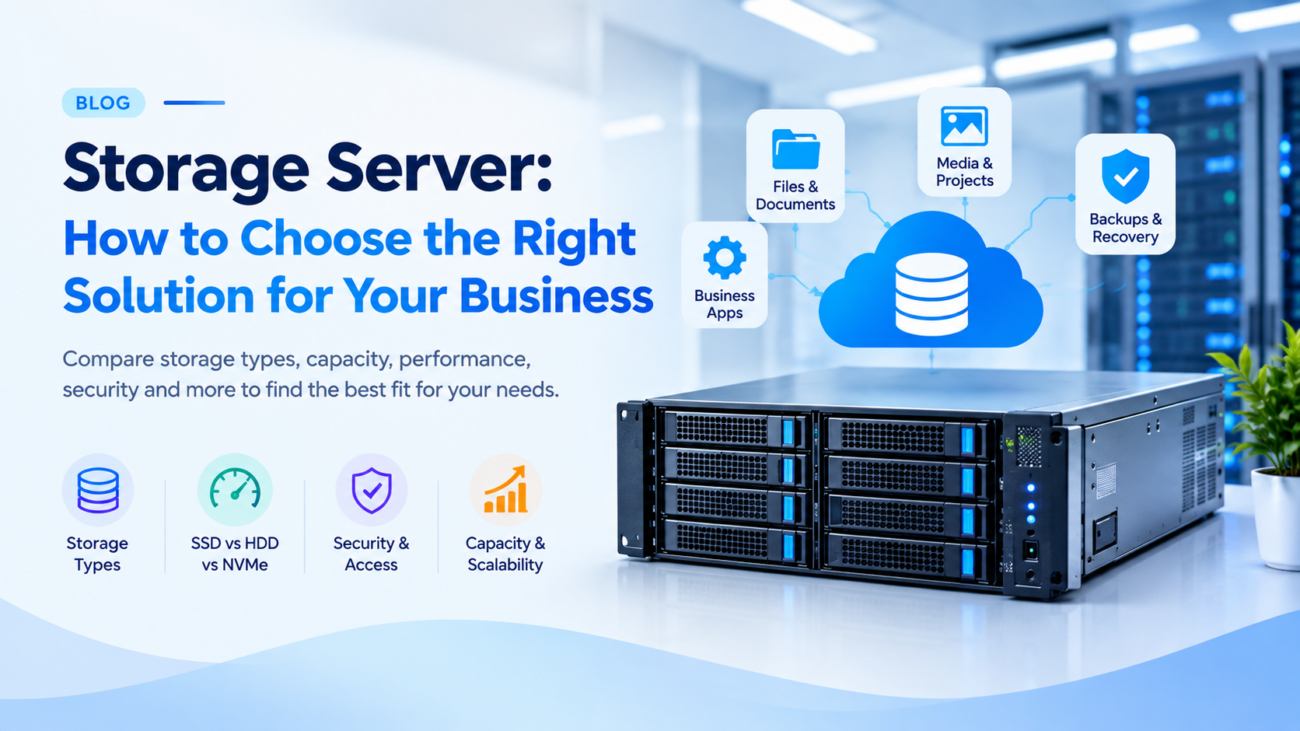
As businesses grow, so does the amount of data they create and manage. From customer records and website files to business applications, media assets, and backup copies, every organisation needs a reliable way to store and access its data. Choosing the right storage server in India can help businesses find a solution that fits their storage capacity, performance, security, and budget requirements.
However, selecting a storage server for business involves more than choosing the largest hard drive. You also need to compare HDD, SSD, and NVMe storage, understand usable capacity, plan for data backups, and consider future growth.
In this guide, we explain how to choose the right storage solution for your business, compare different storage options, and explore when AMD dedicated server hosting in India or cloud hosting may be suitable. We’ll also explain the key factors to consider before choosing a server provider for your business needs.
What Is a Storage Server?
A storage server is a computer or server system designed to store data and make it available to authorised users, applications, or other computers over a network.
Unlike an individual workstation that primarily serves one user, a storage server can provide a central location for information used by an entire team or business application.
Depending on its configuration, a storage server may support:
- Centralised business documents and shared folders
- Website and application data
- Database files and business records
- Media libraries and large project files
- Backup archives and recovery copies
- Long-term data retention
The appropriate configuration depends on the amount of data you manage, the speed at which you need to access it, and the level of control your business requires.
Why Do Businesses Need a Storage Server?
Keeping important files on individual computers can become difficult as a business expands. Teams may maintain multiple copies of the same document, struggle to locate the latest version, or lack a consistent approach to protecting important information.
A properly configured storage system can help address these challenges.
1. Centralise Business Information
A central storage location can make it easier for authorised employees and applications to access shared files. Access permissions can help limit information to the people who need it.
2. Support Growing Data Requirements
Businesses that generate more documents, customer records, media files, or application data need a practical way to expand their storage capacity.
Planning for future growth helps reduce the need for frequent and disruptive migrations.
3. Improve Data Management
A suitable storage environment can help organisations organise information, control access, establish retention policies, and maintain consistent data-management practices.
4. Support Backup and Recovery Workflows
Storage infrastructure can provide a destination for backup software and recovery copies. However, simply storing files on a server does not automatically create a reliable backup system. Backup schedules, access controls, retention policies, and recovery testing must also be configured.
Types of Storage Solutions to Consider
Different storage technologies solve different problems. Before choosing a server, understand how each option fits your workload.
Network Attached Storage (NAS)
Network Attached Storage, commonly called NAS, provides file-based storage through a network. Employees and applications can access shared folders using supported protocols such as SMB or NFS.
NAS can be suitable for businesses that need shared access to documents, media files, and department folders.
Typical use cases include:
- Small and medium-sized business file sharing
- Creative teams working with shared project assets
- Office document management
- Centralised file repositories
A NAS appliance is one way to provide this functionality. A compatible server can also be configured for network file sharing using appropriate hardware and software.
Dedicated Storage Server
A dedicated storage server in india is a physical server allocated to a single customer and configured for storage-intensive workloads.
Depending on the hardware and software, it may support large storage volumes, specialised file systems, backup applications, or custom data-management tools.
This option may suit businesses that need greater control over their server environment or have requirements that a basic storage appliance cannot meet.
Before selecting a configuration, confirm the available drive types, drive bays, RAID options, usable capacity, network connectivity, and management responsibilities.
Cloud-Based Storage
Cloud-based storage provides access to data through a cloud service rather than requiring all storage infrastructure to be installed at your premises.
It may be useful for off-site copies, distributed teams, application integrations, or storage capacity that needs to change over time.
Cloud-based storage services vary in their pricing, access methods, retention features, and data-transfer charges. Check these details before committing to a solution.
Cloud Server or Dedicated Server Storage
Businesses running websites, applications, and databases may need storage attached to their computing infrastructure rather than a standalone file-storage system.
cloud server cost in india and dedicated servers in india can provide SSD or NVMe storage, depending on the selected configuration. They may suit workloads that require operating-system access, application storage, and control over the server environment.
Cloudicts offers cloud hosting and dedicated server solutions with SSD/NVMe storage on supported plans. Contact the team to confirm whether a particular configuration meets your storage capacity and file-sharing requirements.
How to Choose the Right Storage Server
The best solution depends on how your business creates, accesses, protects, and retains data. Evaluate the following factors before comparing providers.
1. Calculate Your Required Storage Capacity
Start by measuring the amount of data you currently store. Then estimate how much new data your business will generate each month or year.
Include:
- Existing files and databases
- Expected business growth
- Backup copies and retained versions
- Temporary working files
- Operating-system and application requirements
For example, suppose your business currently stores 3 TB of active files and expects another 2 TB of new data. You would need at least 5 TB for those files alone, before accounting for backups, redundancy, formatting, and other overheads.
Always compare usable capacity rather than relying solely on the combined advertised capacity of the installed drives.
2. Choose Between HDD, SSD, and NVMe Storage
Storage drives affect both capacity and performance.
Hard disk drives (HDDs): HDDs are worth considering for large archives, bulk storage, and backup repositories where capacity and cost per terabyte are important.
Solid-state drives (SSDs): SSDs have no moving mechanical parts and can provide faster data access than conventional HDDs. They are suitable for many business applications and general server workloads.
NVMe SSDs: NVMe drives use a storage interface designed for high-speed access over PCIe. They can be useful for database workloads, virtualisation, and applications that benefit from low storage latency and high throughput.
The right choice depends on workload requirements. A server with NVMe drives is not automatically the best option for every archive or backup use case.
3. Understand RAID and Usable Capacity
RAID combines multiple drives into a storage arrangement with particular performance, capacity, or redundancy characteristics.
For example, two 4 TB drives in a RAID 1 mirror provide approximately 4 TB of nominal usable capacity before formatting and system overheads. Both drives contain mirrored data, allowing continued operation after certain single-drive failures.
Other RAID levels have different capacity and fault-tolerance characteristics. The appropriate choice depends on the number of drives, workload, and recovery requirements.
Remember that RAID is not a substitute for independent backups. It cannot, by itself, protect against accidental deletion, ransomware, or the loss of the entire server.
4. Evaluate Network Connectivity
Storage is useful only when users and applications can access it at the speed they require.
Consider the following questions:
- How many employees or applications will access the data simultaneously?
- Are you transferring small documents or large video files?
- How quickly must backup jobs finish?
- What network port speed and bandwidth are available?
- Are transfer limits or additional traffic charges applicable?
A fast server connection does not guarantee equally fast transfers for every remote user. Office internet connections, network congestion, routing, and storage performance can all affect the result.
5. Check Security and Access Controls
Business storage may contain confidential customer information, financial records, or internal documents. Security should therefore be considered during the selection process.
Look for a solution that allows you to implement appropriate access permissions, secure remote connections, software updates, and monitoring.
Where suitable, consider encryption in transit and at rest, multi-factor authentication for administrative access, and separate permissions for users and backup systems.
Security also depends on how the server is configured and maintained. Hardware alone cannot guarantee that stored data will remain secure.
6. Plan Backups and Disaster Recovery
Before choosing a storage server, decide how your business will recover data after accidental deletion, hardware failure, ransomware, or a major service interruption.
A practical backup strategy should include:
- Scheduled backups with defined retention periods
- Copies stored separately from the primary working system
- Restricted access to backup repositories
- Offline or appropriately isolated copies where practical
- Regular tests to confirm that data can be restored
Consider your recovery time objective (RTO), which describes how quickly a service must be restored, and your recovery point objective (RPO), which defines how much recent data loss your business can tolerate.
These requirements help determine how frequently backups should run and how quickly recovery must be possible.
7. Compare Total Cost, Not Just the Monthly Price
The lowest advertised server price may not represent the lowest overall cost for your business.
Compare the complete configuration, including:
- Storage capacity and drive type
- CPU and RAM requirements
- Network connectivity and transfer allowances
- Software licences
- Backup storage and retention
- Server administration and support
- Expansion costs and migration requirements
If your business does not have an internal IT team, also establish who will handle updates, monitoring, access permissions, and recovery procedures.
8. Consider Future Expansion
Storage needs rarely remain constant. A suitable solution should provide a practical way to accommodate additional data as your business grows.
Ask whether capacity can be expanded by adding drives, replacing existing drives, upgrading the server, or moving to another configuration.
Check whether expansion requires downtime, additional licences, a migration, or a change in monthly pricing.
Planning for growth early can help you avoid choosing a solution that becomes difficult or expensive to maintain.
Storage Server vs Cloud Storage: Which Is Better?
Neither option is universally better. The appropriate choice depends on how your business uses its data.
| Requirement | Storage server | Cloud-based storage |
| Infrastructure control | Depends on ownership and configuration | Depends on the cloud service |
| Local file sharing | Possible with suitable network and software | Depends on service and connectivity |
| Capacity expansion | May require hardware changes or migration | Depends on the provider and service |
| Initial investment | Hardware purchase or server rental may apply | May reduce the need to buy local storage hardware |
| Ongoing costs | Hardware, power, maintenance, or rental | Subscription, capacity, operations, and transfer charges |
| Off-site access | Requires suitable network configuration | Usually provided through the service, subject to its access model |
| Data protection | Must be designed and maintained | Depends on included features and your configuration |
Some businesses benefit from combining approaches. For example, frequently accessed files may remain on a primary server while independent backup copies are stored in a separate location.
Evaluate the complete architecture, including security, access requirements, recovery procedures, and recurring costs.
Is a Cloud Server Suitable for Business Storage?
A cloud server may be suitable when storage is closely connected to a website, database, application, or development environment.
For example, an online business may need server storage for its application files and database, while a development team may require space for project files and test environments.
However, a standard cloud server should not automatically be treated as a replacement for a dedicated NAS appliance or a specialised high-capacity storage server.
If you need shared folders, large quantities of HDD storage, or specific NAS protocols, confirm that the proposed server configuration and software support those requirements.
Cloudicts provides cloud hosting and dedicated server plans with SSD/NVMe storage on supported configurations. You can compare the available resources on the official website and contact the team if you need help assessing a particular workload.
How Cloudicts Can Help You Choose Server Infrastructure
Selecting server infrastructure begins with understanding the work it needs to perform.
Cloudicts offers cloud hosting and dedicated server solutions for websites, business applications, databases, SaaS platforms, and other workloads.
When evaluating a suitable configuration, consider:
- Required storage capacity and drive type
- CPU and RAM requirements
- Network connectivity and expected traffic
- Operating-system and software compatibility
- Backup and recovery arrangements
- Server management and technical support requirements
Explore the Cloudicts Cloud Hosting plans or compare the available Dedicated Server plans at best price in India.
If your requirement is specifically for a high-capacity storage server or NAS-style file-sharing environment, contact the Cloudicts team to confirm the available hardware, supported software, and configuration options before ordering.
Frequently Asked Questions
What is a storage server used for?
A storage server stores and provides access to business data, including shared documents, application files, media libraries, and backup copies. Its capabilities depend on the installed hardware and software.
How much storage does a business need?
Estimate your current data volume, expected growth, backup retention, and working-space requirements. Then account for RAID overheads, formatting, and system files before choosing a capacity.
Is an HDD or SSD better for a storage server?
HDDs can be suitable for large-capacity archives and bulk storage, while SSDs and NVMe SSDs can benefit workloads requiring faster access. Choose based on the workload, budget, and performance requirements.
What is the difference between NAS and a storage server?
NAS describes a network-accessible file-storage approach, while storage server is a broader term for a system that stores and serves data. A compatible server can provide NAS functionality when configured with suitable software and protocols.
Does RAID replace backups?
No. RAID can provide redundancy against certain drive failures, depending on its configuration, but it does not replace independent backups. Maintain separate copies and test the restoration process regularly.
Can a cloud server be used for business data storage?
Yes, a cloud server can store application data, files, and databases when the configuration provides sufficient capacity and performance. Specialised file sharing or high-capacity storage may require additional software or a different solution.
How do I choose a storage server provider in India?
Compare usable capacity, hardware specifications, network performance, security options, backup arrangements, support terms, expansion options, and total cost. Confirm the provider can supply the configuration your business requires before purchasing.
Final Thoughts
Choosing a storage server is about more than finding enough disk space. Businesses should balance usable capacity, drive performance, network access, security, data protection, and future expansion.
Start by identifying your workload and recovery requirements. Then compare the available storage architectures and calculate the total cost of operating the solution.
If your business needs server infrastructure for applications, databases, or other data-intensive workloads, explore the cloud hosting and dedicated server options available from Cloudicts. Confirm any specialised storage requirements with the team before selecting a plan.
