Table of Contents
Last updated: 3 November 2026 · By Nikkhil Sonar, Cloudicts
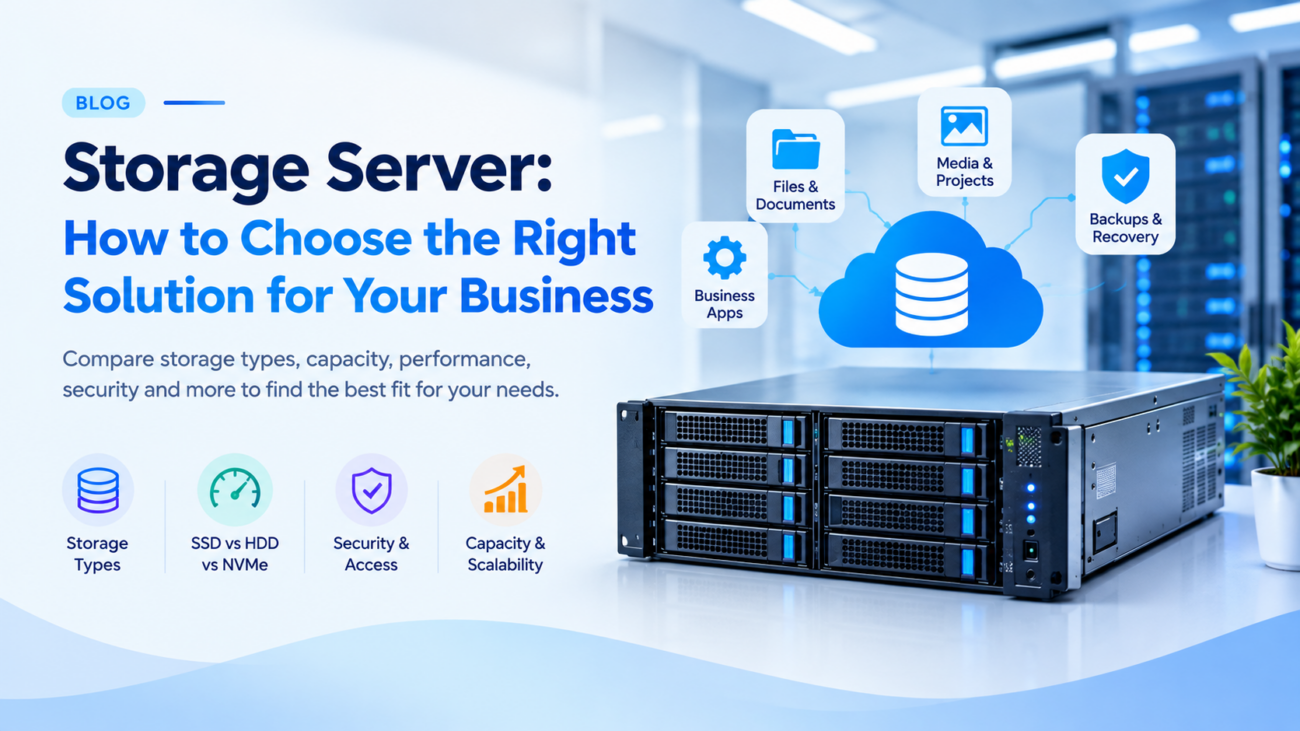
This storage server guide explains how to choose the right storage server for your business in India – from NAS and dedicated storage servers to cloud storage, HDD vs SSD vs NVMe, RAID levels, backups and cost. As your business grows, so do customer records, website files, databases, media and backup copies, and the wrong storage choice means slow apps, lost files or a costly migration later.
Quick answer: A storage server is a server built to store business data and share it over a network. Small offices that mainly share files usually need a NAS. Businesses running websites, databases or apps need a dedicated server with NVMe storage (at Cloudicts from ₹9,599/month). Whatever you choose, keep at least one separate, off-site backup – RAID is not a backup.
Key takeaways
- Choose by workload: file sharing → NAS; apps and databases → dedicated or cloud server; archives → high-capacity HDD; off-site copies → cloud backup.
- Use NVMe for databases and virtual machines, SSD for general servers and HDD for cheap bulk capacity.
- Always compare usable capacity after RAID and formatting, not total raw drive size.
- RAID protects against a drive failure, not against deletion, ransomware or losing the whole server.
- Follow the 3-2-1 backup rule and test restores regularly.
What Is a Storage Server?
A storage server is a server whose main job is to store data and make it available to authorised users and applications over a network. Unlike a desktop that serves one person, a storage server gives a whole team or application one central, controlled place for data.
Businesses use storage servers for:
- Shared documents and department folders
- Website, application and database files
- Media libraries and large project files (video, design, CAD)
- Backup archives and recovery copies
- Long-term data retention for compliance
Why Does a Business Need a Storage Server?
A storage server stops important data from being scattered across laptops, gives the team one up-to-date copy of every file, and makes backup and access control manageable.
- Centralise information: one location with permissions, so people only see what they need.
- Grow without chaos: plan capacity once instead of buying random external drives.
- Manage data properly: set retention rules, versioning and audit trails.
- Back up reliably: back up one server instead of twenty computers.
- Keep data in India: host in Indian data centres to support DPDP Act requirements.
Types of Storage Servers Compared
| Type | How it works | Best for | Watch out for |
|---|---|---|---|
| NAS (Network Attached Storage) | File storage shared over the network using SMB or NFS | Office file sharing, creative teams, small businesses | Usually on-premises – needs its own backup and power protection |
| Dedicated storage server | A whole physical server for one customer, set up for storage-heavy work | Databases, apps, large data sets, full control | You (or a managed service) handle setup and updates |
| Cloud server storage | NVMe/SSD storage attached to a virtual server | Websites, SaaS, dev/test, storage that grows over time | Not a cheap option for very large archives |
| Cloud backup storage | Encrypted off-site copies managed by a provider | Disaster recovery, ransomware protection | A backup target, not a working file share |
| SAN (Storage Area Network) | Block storage over a dedicated network | Large virtualisation clusters, enterprises | Expensive and complex for small businesses |
NAS vs Storage Server: What Is the Difference?
NAS is a type of storage server that shares files over a network; “storage server” is the wider term that also includes servers running databases, applications, block storage and backups. Any suitable server can act as a NAS when you install file-sharing software such as Samba (SMB) or NFS, or a system like TrueNAS.
Storage Server Guide: How to Choose the Right Server in 8 Steps
1. Calculate how much storage you need
Add up your current data, expected growth, backup copies and working space. Plan for at least 2–3 years so you don’t have to migrate soon.
| Item | Example |
|---|---|
| Current active data | 3 TB |
| Expected growth (2 years) | +2 TB |
| Versions / snapshots (about 20%) | +1 TB |
| Free-space buffer (about 20%) | +1 TB |
| Usable capacity needed | 7 TB – before RAID and backups |
Note: a “1 TB” drive shows about 931 GB in the operating system, because drive makers count in decimal and operating systems count in binary.
2. HDD vs SSD vs NVMe: which is best for a storage server?
| Drive | Speed | Cost per TB | Best for |
|---|---|---|---|
| HDD | Slowest (moving parts) | Lowest | Archives, bulk storage, backup repositories |
| SATA SSD | Fast | Medium | General servers, file shares, websites |
| NVMe SSD | Fastest (PCIe, lowest latency) | Highest | Databases, virtual machines, busy applications |
Many businesses mix them: NVMe for live data and HDD or cloud backup for archives.
3. Which RAID level is best for a storage server?
RAID combines several drives so the server keeps running when a drive fails, or runs faster – but it always costs some capacity. Example with four 4 TB drives (16 TB raw):
| RAID level | Minimum drives | Usable from 4 × 4 TB | Drive failures survived | Use it for |
|---|---|---|---|---|
| RAID 0 | 2 | 16 TB | 0 | Speed only, temporary data – never for important data |
| RAID 1 | 2 | 4 TB per mirrored pair | 1 per pair | Small servers, OS drives |
| RAID 5 | 3 | 12 TB | 1 | File storage with smaller drives |
| RAID 6 | 4 | 8 TB | 2 | Large HDD arrays, archives |
| RAID 10 | 4 | 8 TB | 1 per mirror (up to 2) | Databases and VMs – best speed and safety |
RAID is not a backup. It cannot protect against accidental deletion, ransomware, a software fault or losing the whole server.
4. Check network speed and bandwidth
- How many people and apps use the storage at the same time?
- Are you moving small documents or large video files?
- How fast must nightly backups finish?
- What port speed is included (for example 1 Gbps) and are there bandwidth limits?
Remote users are also limited by their own office internet speed, not only the server’s port.
5. Plan security and access control
- Role-based permissions for users and a separate account for backups
- Encryption in transit (SFTP, HTTPS, VPN) and at rest
- Multi-factor authentication for admin access
- Regular updates, firewall rules, monitoring and DDoS protection
6. How should you back up a storage server?
Follow the 3-2-1 rule: keep 3 copies of your data, on 2 different types of storage, with 1 copy off-site. Add an immutable (cannot be changed or deleted) copy to protect against ransomware.
- RPO (recovery point objective): how much recent data you can afford to lose – this decides how often backups run.
- RTO (recovery time objective): how fast you must be running again – this decides how fast restores must be.
- Test restores every month. A backup you have never restored is only a hope.
Cloud backup storage in India from Cloudicts provides automated, AES-256 encrypted, immutable backups to off-site Indian storage with 30-day restore points.
7. Compare total cost, not just the monthly price
Include drives and capacity, CPU and RAM, bandwidth, software licences, backup storage, management and support, and the cost of expanding later. Buying an on-premises NAS also means paying for power backup, cooling, replacement drives and someone to manage it.
8. Plan for expansion
Ask whether you can add drives, upgrade to bigger drives or move to a larger plan – and whether that needs downtime, new licences or a migration.
Storage Server vs Cloud Storage: Which Is Better?
| Factor | Storage server (dedicated / NAS) | Cloud storage |
|---|---|---|
| Control | Full control of hardware and software | Limited to the provider’s features |
| Performance | Predictable – resources are yours | Depends on plan and internet speed |
| Cost model | Fixed monthly rental or upfront hardware | Pay per GB, plus possible transfer charges |
| Scaling | Add drives or upgrade the server | Scales instantly |
| Off-site access | Needs VPN or secure remote setup | Built in |
| Best for | Large, steady data sets and apps | Off-site copies, distributed teams, changing needs |
Most businesses do best with both: live data on a server and independent backups in cloud storage.
How Much Does a Storage Server Cost in India?
A storage server in India costs from about ₹9,599 per month for a dedicated server with 1 TB NVMe at Cloudicts, while cloud server storage starts at ₹649 per month. The price depends on drive type, capacity, CPU, RAM and backup.
Dedicated servers in India from Cloudicts come with enterprise NVMe storage, a 1 Gbps dedicated port, a dedicated IPv4, anti-DDoS protection and full root and IPMI/KVM access, hosted in Indian data centres. Prices per month, excluding GST:
| Server | CPU | RAM | Storage | Price/month |
|---|---|---|---|---|
| Intel Xeon Gold 6244 | 8 cores / 16 threads | 64 GB DDR4 ECC | 1 TB NVMe | ₹9,599 |
| AMD EPYC 7F72 | 24 cores / 48 threads | 64–128 GB DDR4 ECC | 1 TB NVMe | ₹11,999 |
| 2 × AMD EPYC 7F72 | 48 cores / 96 threads | 256 GB DDR4 ECC | 1.92 TB NVMe | ₹28,749 |
Extra storage is available as an add-on. For high-capacity HDD or NAS-style setups, ask for a custom storage server quote. Read our guide to the best dedicated server in India. For smaller storage needs tied to a website or app, cloud hosting in India starts at ₹649/month – see cloud server price in India.
What Is the Best Storage Server for a Small Business?
For most small businesses, the best storage server is a NAS for office file sharing plus off-site cloud backup; if you run a website, ERP or database, choose a dedicated server with NVMe and RAID 10.
| Your need | Best choice |
|---|---|
| Small office file sharing (under 10 users) | NAS + cloud backup |
| Website, ERP or database | Dedicated server with NVMe, RAID 1 or RAID 10, plus backup |
| Virtual machines | AMD EPYC dedicated server with NVMe (many cores for VMs) |
| Media archive or large file library | High-capacity HDD server with RAID 6 |
| Ransomware protection / disaster recovery | Immutable off-site cloud backup |
| Data that grows unpredictably | Cloud server storage – see the best cloud hosting in India compared |
| Small app or website with under 200 GB data | VPS hosting with NVMe |
Storage Server Guide: Final Thoughts
The key lesson of this storage server guide: choosing a storage server is about more than disk space. Match the type to your workload, pick the right drives, plan usable capacity after RAID, secure access and – most importantly – keep independent, tested backups. Need help sizing a server? WhatsApp our team – first response within 15 minutes, in English, Hindi or Marathi.
Frequently Asked Questions
What is a storage server used for?
A storage server stores and shares business data – documents, application and database files, media libraries and backup copies – with authorised users and applications over a network.
How much storage does my business need?
Add your current data, 2–3 years of growth, about 20% for versions and about 20% free space. Then add RAID overhead and separate backup capacity.
Is HDD or SSD better for a storage server?
HDD is cheapest per TB and best for archives and backups. SSD suits general servers. NVMe is fastest and best for databases and virtual machines.
What is the difference between NAS and a storage server?
NAS is a storage server that shares files over the network using SMB or NFS. “Storage server” is broader and also covers database, application, block and backup storage.
Which RAID level is best for a storage server?
RAID 10 is best for databases and virtual machines. RAID 6 suits large HDD archives because it survives two drive failures. RAID 1 suits small two-drive servers.
Does RAID replace backups?
No. RAID only protects against drive failure. It does not protect against deletion, ransomware or losing the whole server. Keep separate, off-site backups.
What is the 3-2-1 backup rule?
Keep 3 copies of your data, on 2 different types of storage, with 1 copy off-site. Add an immutable copy for ransomware protection.
How much does a storage server cost in India?
Cloudicts dedicated servers with NVMe storage start at ₹9,599 per month (Intel Xeon Gold 6244, 64 GB RAM, 1 TB NVMe), excluding GST. Custom high-capacity storage is quoted on request.
Is cloud storage better than a storage server?
Neither is always better. A storage server gives control and predictable performance for large steady data; cloud storage is best for off-site backups and changing needs. Most businesses use both.
